Getting started
A practising CA can be onboarded in under a minute. There's no sales call, no card on file, no "request a demo" wall.
1. Sign up
Visit the signup page and fill twelve fields — firm details (name, FRN, PAN, constitution, state, contact) and your own login (name, email, password, phone).
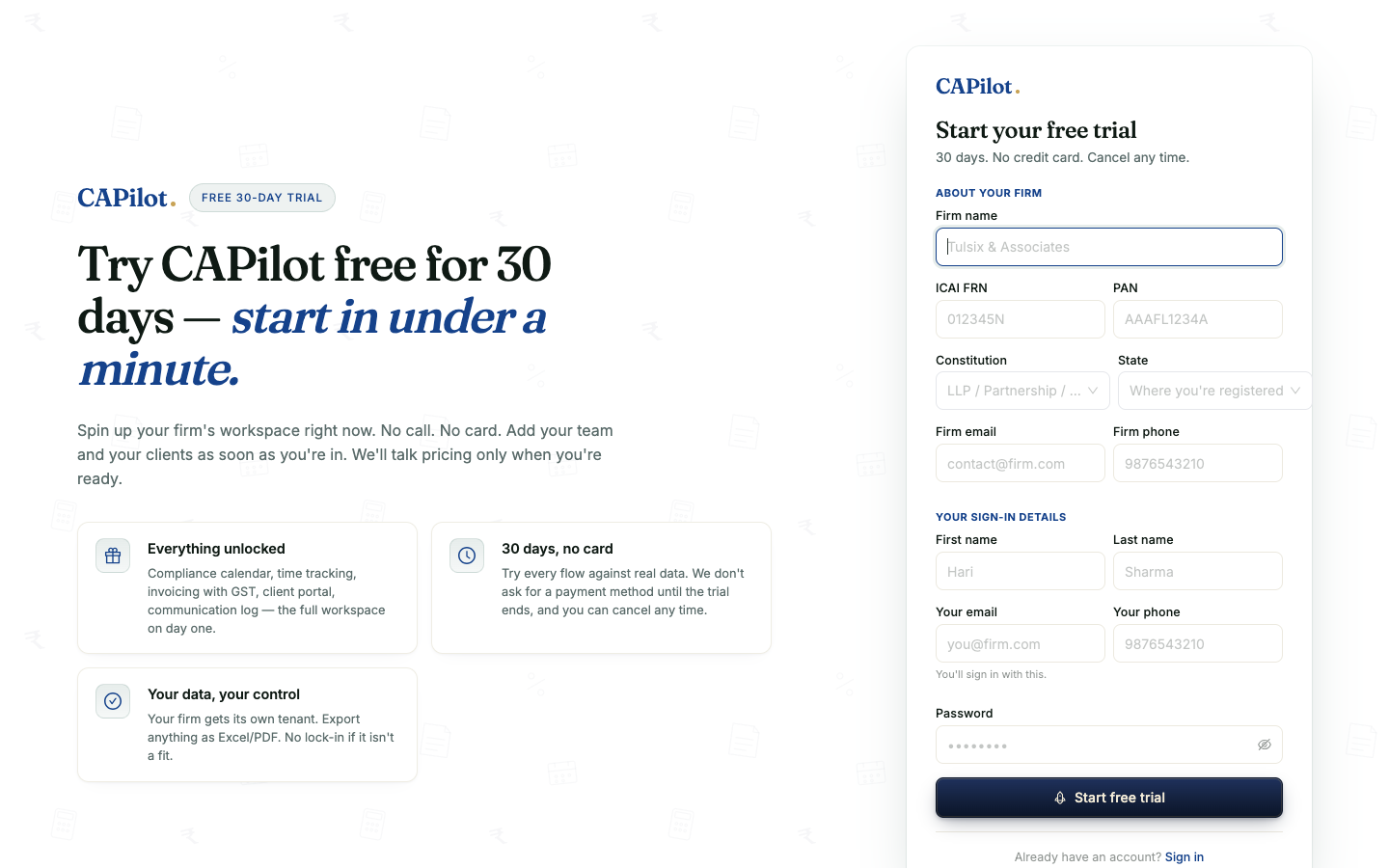
CAPilot validates PAN, GSTIN (if provided), FRN format, and PAN-constitution consistency server-side. Friendly errors on duplicates — e.g. "A firm with this PAN is already registered. If you are a partner there, ask the firm owner to add you as Staff."
2. Land in a fully-provisioned workspace
On successful signup CAPilot atomically creates:
- A Security_User row with your bcrypt-hashed password (Partner role)
- A Firm row with your details + a 30-day trial subscription (
SubscriptionStatusId = Trial,TrialEndsOn = today + 30) - A Staff link binding you to the firm
- A live session — you land directly on the dashboard, no second sign-in
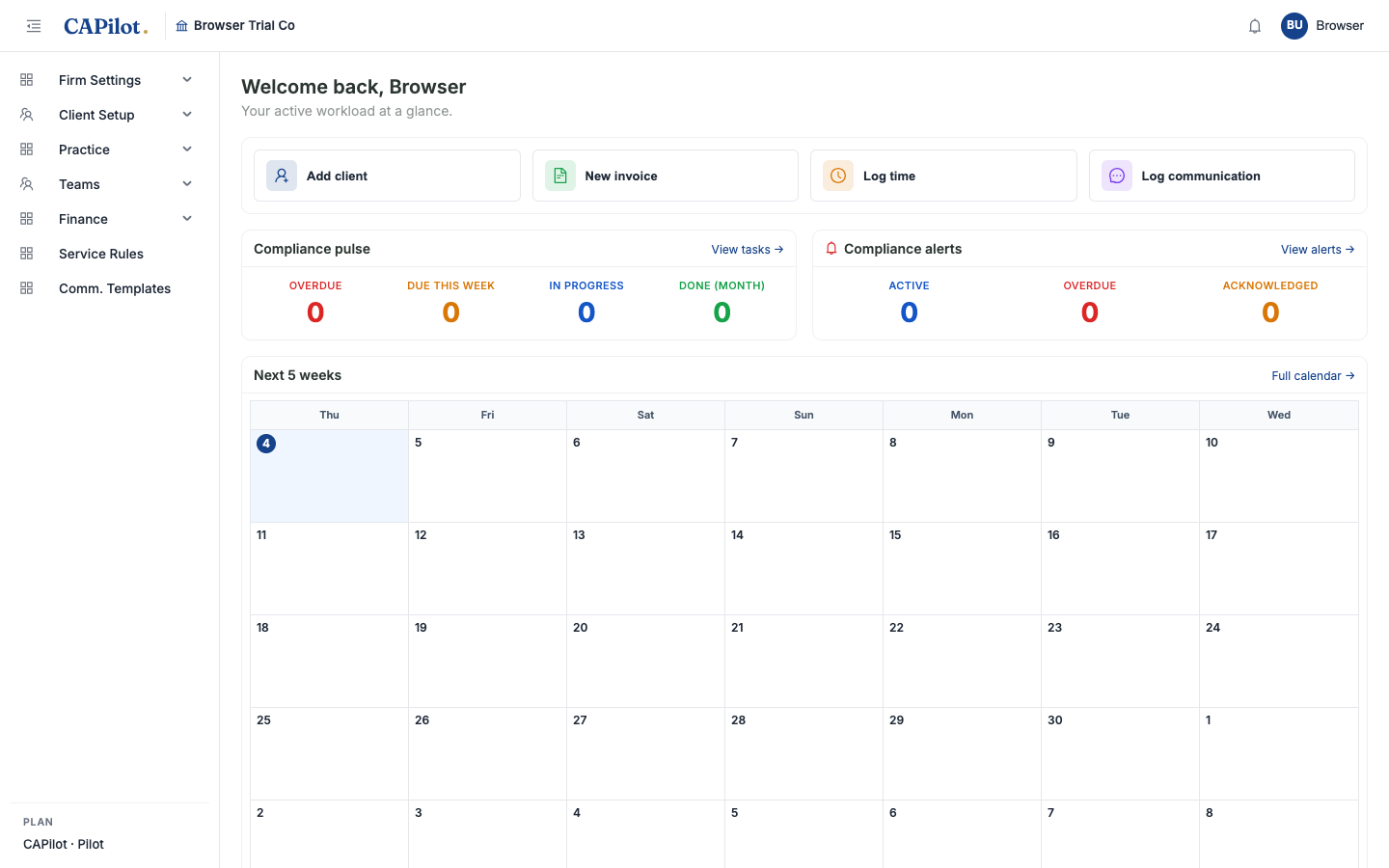
The top-bar header shows your firm name (left of the breadcrumb), a trial countdown pill (right side, "30 days left in trial"), the notifications bell, and your avatar.
3. The dashboard
A CA's home base:
- Quick actions — Add client, New invoice, Log time, Log communication
- Compliance pulse — Overdue / Due this week / In progress / Done (month) counters
- Compliance alerts — Active / Overdue / Acknowledged
- Next-5-weeks calendar — today's date highlighted, compliance task chips colour-coded by urgency
- Receivables — AR aging (bottom, scrolls into view)
- My time this week / My tasks (further down)
Every counter is a hyperlink — click "Overdue" and you land on the filtered task list.
4. The trial countdown
CAPilot reminds you discreetly. The top-bar pill rolls over with the calendar:
- > 7 days → blue "30 days left in trial"
- 4–7 days → amber + "Upgrade" button
- ≤ 3 days → red + "Upgrade" button
- Expired → full-width red banner across the page, reads-only mode kicks in via the write-gate middleware
When you're ready to subscribe, hit Upgrade → lands on /pricing → click Subscribe → Razorpay Checkout (test cards work in dev, real cards in production).
What's next
Browse the left sidebar to see each module in detail. The shortest tour for a CA new to CAPilot:
- Compliance Calendar — visual deadline management
- Client onboarding — GSTIN/CIN auto-extracts + verify-on-portal links
- Invoicing — GST-aware, recurring, with TDS handling
- Free public tools — shareable URLs you can use today